How to Reply to a DM on Instagram, and to a Comment by DM
How to reply to Instagram DMs on the app and desktop, answer a comment privately, find messages stuck in Requests, and when to let an AI agent reply for you.
To reply to a DM on Instagram, tap the messages icon at the top of your feed, open the conversation and type your answer in the message box at the bottom. To answer one particular message in a busy chat, swipe right on it (or hover over it on desktop and choose reply), so your answer is attached to the message you mean. A DM reply is private: only the person you’re writing to sees it.
Replying to a comment by DM is a different move. You answer the comment in public, then continue in a private message, which is where prices, order numbers and bookings belong. On a business account, a tool connected through Meta’s official API can do both: reply publicly and send one private message to the person who commented.
Below are the exact steps for both, the folders where messages go missing, and what changes when you’re answering for a client at volume.
How to reply to a DM on Instagram
Reply to a DM on Instagram
- Open your messagesIn the Instagram app, tap the messages icon at the top right of your feed. On instagram.com, click Messages in the left-hand menu.
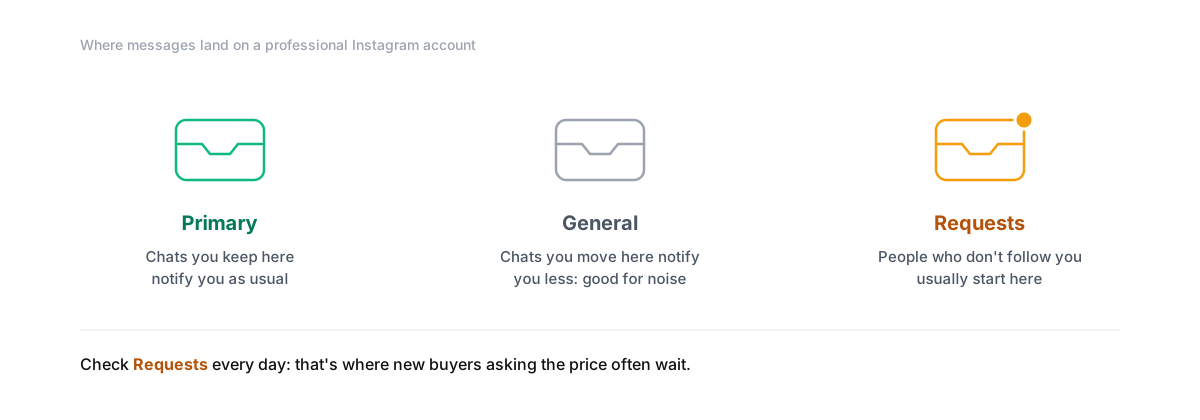
- Find the conversationOpen the chat. If you can't see it, check the Requests folder: messages from people who don't follow you usually start there. Professional accounts also sort chats into Primary and General.
- Reply to the whole conversationType in the message box at the bottom and send. You can add a photo, a voice message or a link the same way.
- Or reply to one specific messageIn the app, swipe right on the message you're answering. On desktop, hover over it and choose reply. Your answer shows the original message above it, which keeps busy chats readable.
- Accept a message request if you want to keep talkingReplying to a request moves the chat into your inbox. Until you accept or reply, the sender doesn't see that you've read it.
Two things catch people out. Messages from non-followers sit in Requests, so an account that only checks its main inbox misses some of its most valuable messages: strangers asking the price. And on a professional account, chats you move to General don’t notify you the way Primary does, which is useful for noise and dangerous for leads.
How to reply to an Instagram comment, publicly or by DM
Comments and DMs serve different readers. A public reply under a post is read by everyone who scrolls past it. A DM is read by one person.
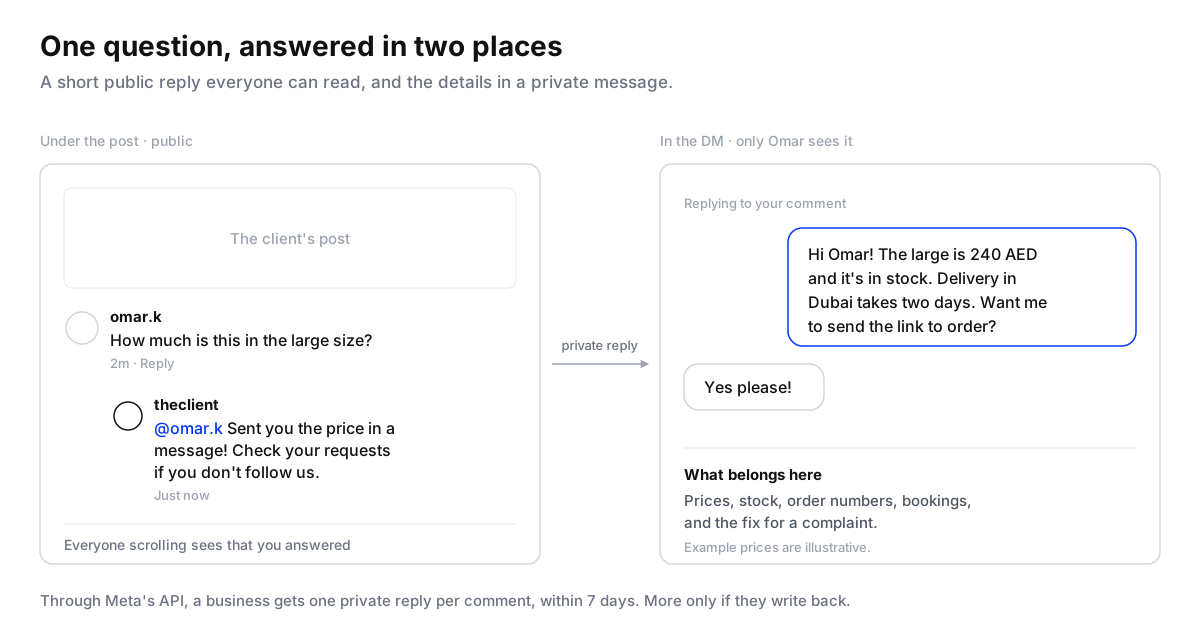
To reply publicly, tap Reply under the comment, type your answer and post it. Instagram starts the reply with their @username, so they’re notified. Replies sit under the comment they answer, so a long thread stays in one place.
To continue by DM by hand, reply publicly first (“Just sent you a message!”), then tap their name, open their profile, tap Message and write to them. Reference the comment in your first line, because the person may not connect a DM from you with something they typed an hour ago.
To do it automatically, a business account connects a tool through Meta’s official API. Meta calls this a private reply, and its rules are specific:
- One message to the person who commented, sent within seven days of the comment.
- It includes a link to the post they commented on.
- It lands in their Inbox if they follow you, and in Requests if they don’t.
- You can only send more if they reply, and then within 24 hours of their reply.
Comment or DM: which should you use?
| The comment says | Answer publicly | Then DM | Why |
|---|---|---|---|
| A question anyone might have (“do you ship to Dubai?”) | Yes, the full answer | No | The answer helps everyone reading the post |
| A price or stock question | A short line (“sent you the price”) | Yes, with the price and a link | Prices in public start bidding wars and date badly |
| Anything with personal details (order number, phone) | A short line, never the details | Yes | Personal details never belong under a post |
| A complaint | A short apology and “we’ve messaged you” | Yes, from a person | Everyone sees that you responded; the fix happens privately |
| Praise or an emoji | A like, or a short thanks | No | A DM to “love this” reads as a sales push |
| Spam or a competitor’s link | No | No | Hide it |
Our own study of public comments on 178 businesses’ Instagram and Facebook posts found that pages answered 12% of the comments on Instagram, and that 29% of the comments nobody answered were someone asking to buy, asking a question or complaining (the study). Those are exactly the comments this table says to answer first.
Why a tool can’t reply to a message from last week
If you’ve connected a scheduling or inbox tool and found it can’t answer an older DM, that’s Meta’s rule, not the tool. Instagram’s messaging API gives a business 24 hours to respond to a message a person sends. Meta allows a reply up to seven days later only when a person sends it as a human agent message. You replying from the Instagram app on your phone isn’t affected; the window applies to apps sending through the API.
So the 24 hours after someone writes are the ones that count. A DM that arrives at 9pm Friday and waits for Monday morning has gone cold, and if a tool was meant to answer it, it can’t any more.
Instagram’s own automation, and where it stops
Professional accounts get a few free tools inside Instagram:
- Frequently asked questions. Up to four questions shown when someone starts a chat, each with an optional automatic answer. Set them in Messages, then Tools, then Frequently asked questions.
- Instant replies and away messages through Meta Business Suite’s automated responses.
- Hidden Words to hide offensive comments and any words or emojis you add.
They answer the same thing to everyone. They don’t read a question in someone’s own words, don’t move a commenter into a DM, and don’t save the person as a lead.
Replying at volume, for clients
Doing all of this by hand takes about a minute per comment, by the time you’ve replied, opened the profile and written the DM. That’s fine for ten comments a day. It isn’t for a client’s post that gets 300 comments overnight, or for five clients at once.

Maxbound’s Instagram automation does the comment-to-DM step with an AI agent trained on the client’s business: it replies under the comment, sends the private reply with the actual answer, asks the next question and saves the person to the CRM (comment to DM to CRM). Comments and DMs for every client land in one omnichannel inbox, so your team sees what the agent said and steps in where it should. Start with replies a person approves, as in setting up a human-in-the-loop workflow, and use a reply delay so someone who sends three quick messages gets one answer.
If you’re replying to comments under a client’s paid ads specifically, read how to reply to Instagram comments on client ads. For running a big comment-for-a-link campaign without trouble, see running high-volume Instagram DM campaigns safely.